The site workspace
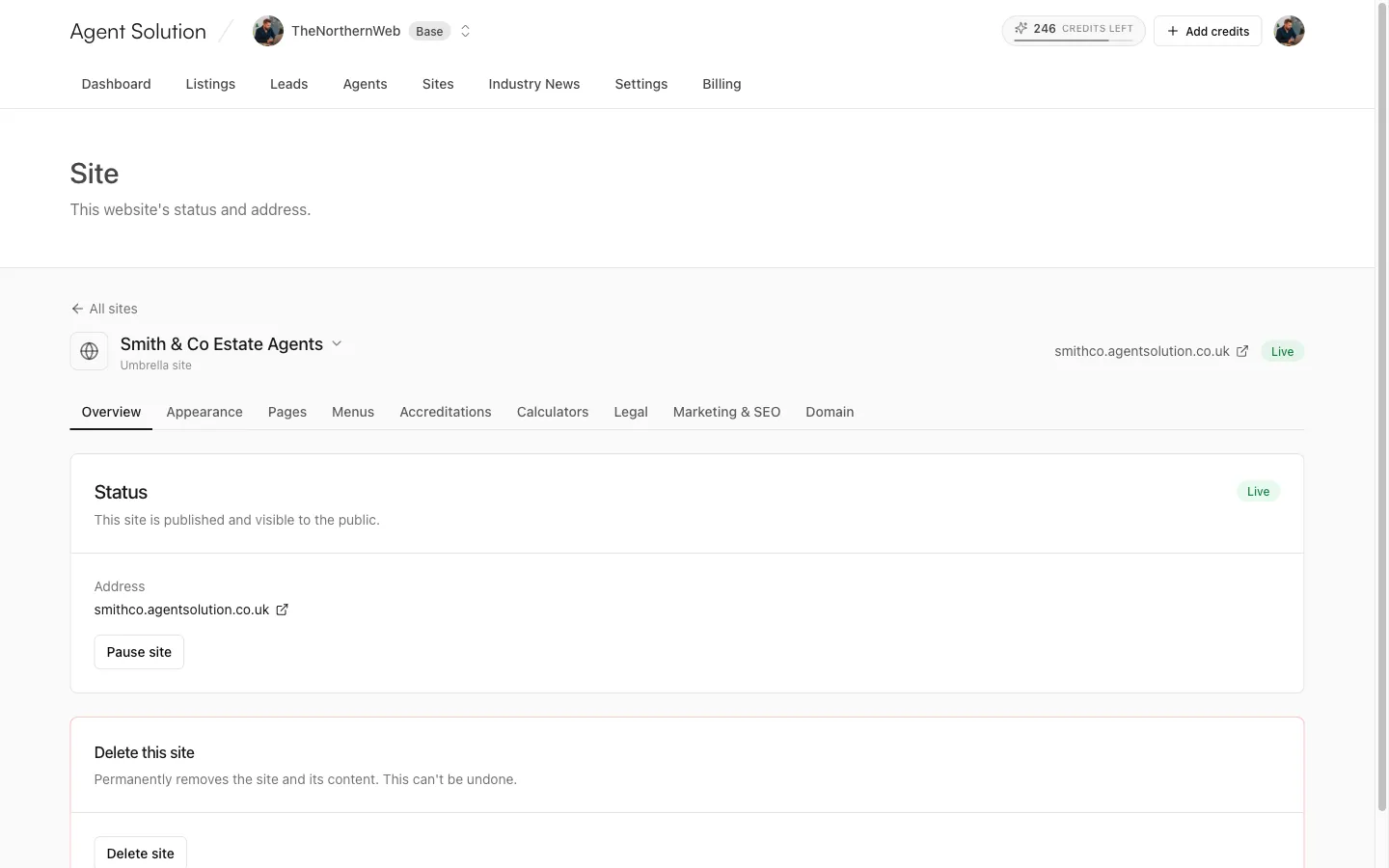
Everything about a single website is managed from its workspace: open Sites in the portal and pick the site. The header shows the site’s name (it’s a dropdown, so you can hop between sites), its type (Umbrella site, Branch site or Agent site), its live URL, and a Live or Draft badge.
The tabs
Section titled “The tabs”| Tab | What it does |
|---|---|
| Overview | Status, address, publish/pause, and deleting the site. |
| Appearance | Theme, brand colours, logo, colour scheme, contact details: see Appearance & themes. |
| Pages | Pages, blog posts and area guides in three sub-tabs: see Editing pages and Blog & area guides. |
| Menus | Header and footer navigation: see Menus. |
| Accreditations | Industry logos in your footer: see Accreditations. |
| Calculators | Buyer and landlord tools: see Calculators. |
| Legal | Small-print pages for this site: see Legal pages. |
| Your CRM | Only on agent microsites with their own CRM key: see How CRM sync works. |
| Marketing & SEO | Analytics, search engines and reviews (owners/admins): see Marketing & SEO. |
| Domain | Point your own domain (owners/admins): see Custom domains. |
Editors see all the content tabs; Marketing & SEO and Domain are visible to owners and admins only.
The Overview tab
Section titled “The Overview tab”The Status card tells you whether the site is published:
- Live: “This site is published and visible to the public.”
- Draft: visitors see a “coming soon” page until it’s published.
Owners and admins get a Publish site / Pause site button to flip between the two; the change is instant. The card also shows the site’s address and, once you’ve added one, your custom domain’s status (Active, Verifying… or Error).
Deleting a site
Section titled “Deleting a site”Owners and admins only: the Delete this site card permanently removes the site and its content. You’re asked to confirm first, and it can’t be undone.
Company-wide settings
Section titled “Company-wide settings”CRM connection, team and invites, AI profile, Industry News, legal details and billing are agency-wide, so they live under Settings rather than in any one site’s workspace.