Menus
The site’s Menus tab controls navigation. Until you add items, your theme’s default navigation applies; your first item overrides it.
Two editors, stacked:
- Header menu: the main navigation across the top of every page. Add a sub-item to create a dropdown.
- Footer menu: footer columns. Each top-level item is a column heading; its sub-items are that column’s links.
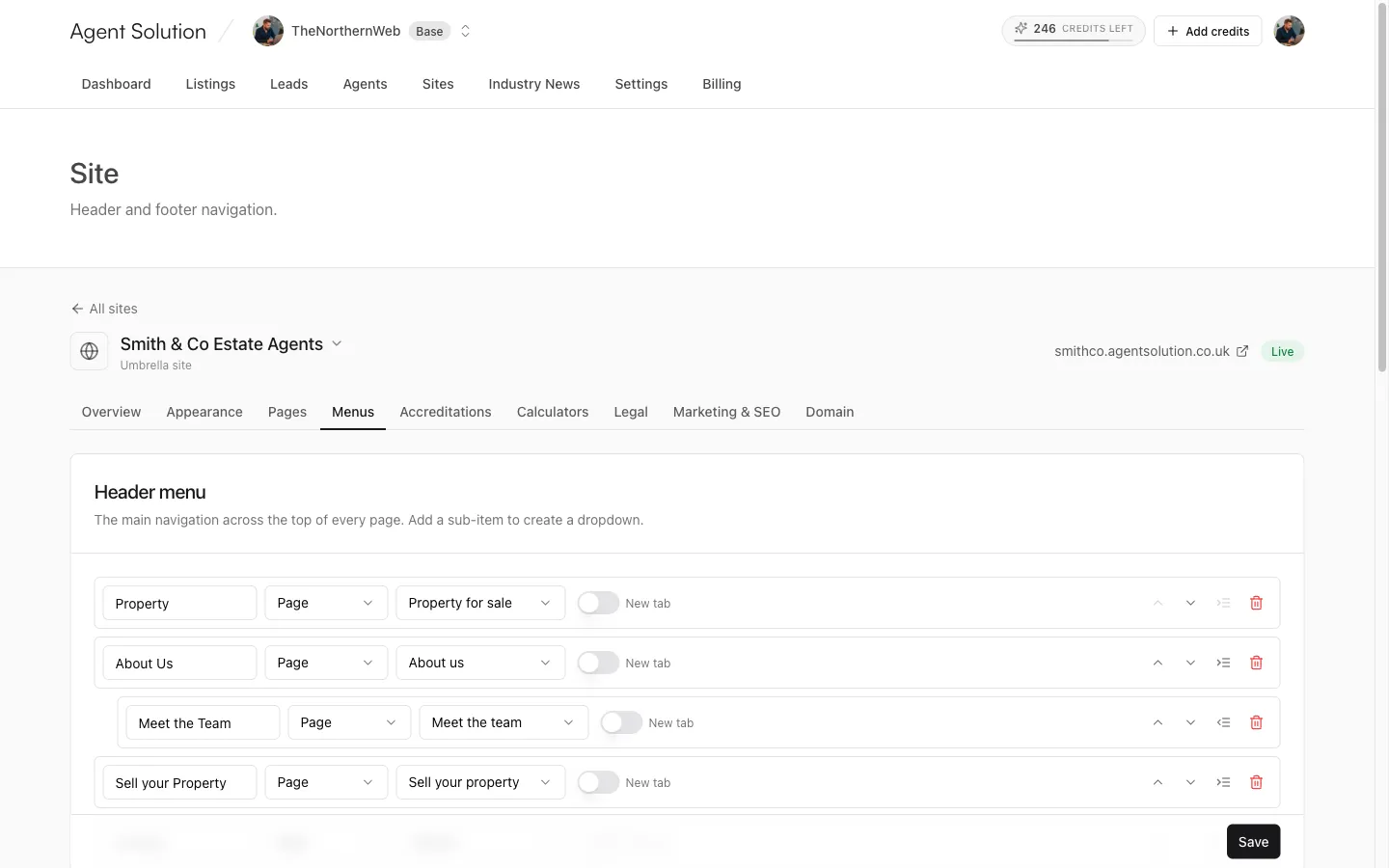
Editing items
Section titled “Editing items”Each item row has:
- A label (auto-filled from the destination if you leave it blank).
- A link type: Page (pick from a dropdown of your published pages plus the built-in routes: Property for sale, To let, Blog, Area guides, and Industry News if that add-on is on) or External link (paste a URL).
- A New tab switch.
- Controls to move the item up or down, indent it one level (nesting it under the item above, which is what creates dropdowns and footer columns), or remove it.
Press Save when you’re done; the green “Saved” tick confirms it’s live.