How leads work
Every lead captured on your websites follows the same reliable path:
- Saved instantly. The lead is stored the moment the visitor submits; it exists even if everything downstream is having a bad day.
- Emailed to you at the site’s enquiry notifications address.
- Written back into your CRM against the correct property and branch.
If your CRM is temporarily unreachable, the write-back retries automatically. Leads are never dropped.
One deliberate exception: general contact-page messages go to your enquiry email only; they aren’t pushed into the CRM. Valuations, viewing requests and property enquiries all are.
The Leads tab
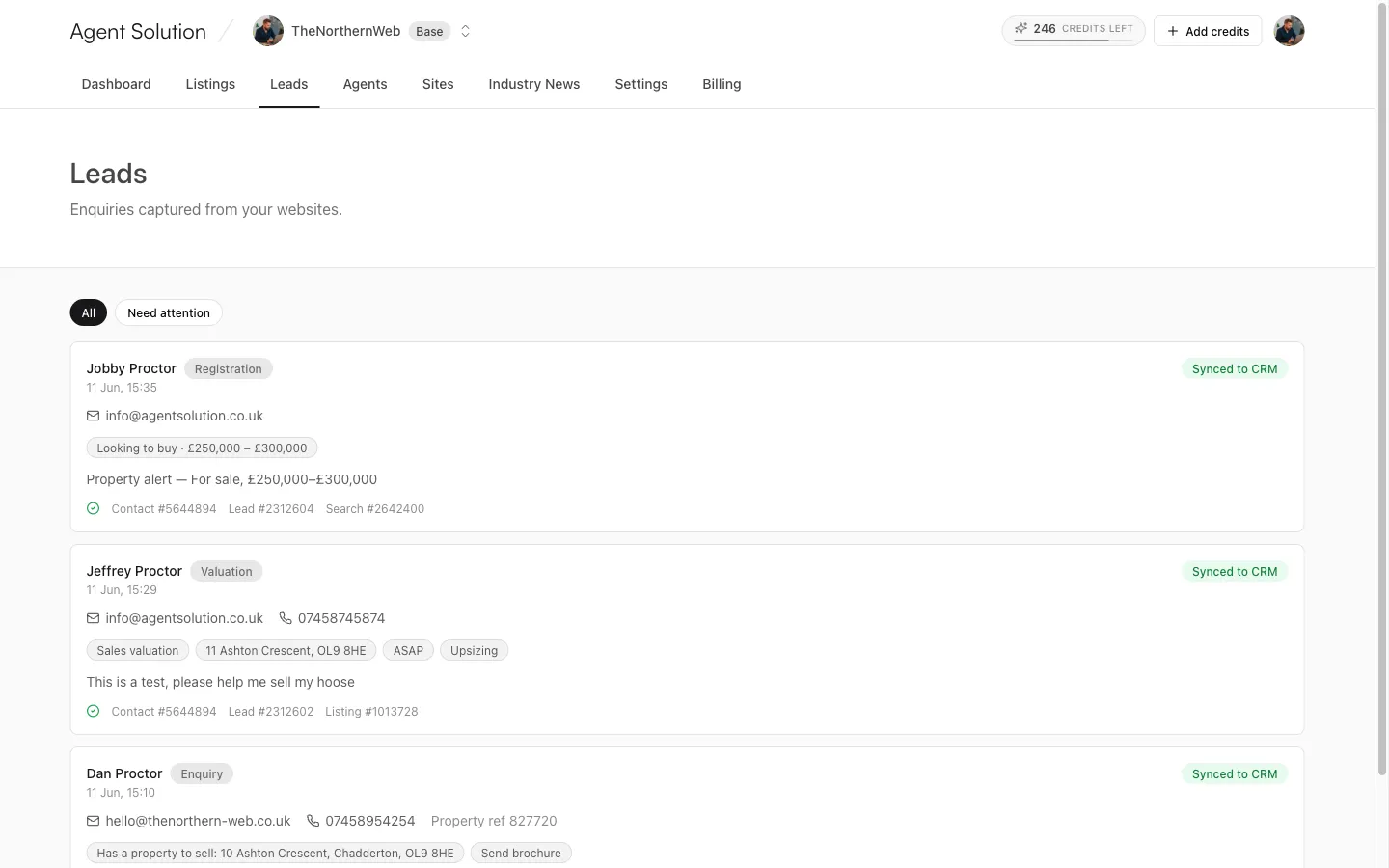
Section titled “The Leads tab”Leads shows every lead across all your sites as cards, newest first. Two filters: All and Need attention (leads whose CRM write-back failed or is still pending; the dashboard’s Leads stat flags the same count).
Each card shows:
- The person’s name, the lead type (Valuation, Enquiry, Viewing or Registration) and when it arrived.
- Contact details (email and phone are clickable), the branch, and the property reference where relevant.
- What they told you, as compact chips: budget and whether they’re buying or renting, bedrooms, areas, property types, sale or lettings valuation, the address to value, moving timeframe, reason for moving, preferred viewing dates, whether they have a property to sell or let, and any extras like wanting financial advice or a brochure. Plus their free-text message.
The sync status on every lead
Section titled “The sync status on every lead”| Badge | Meaning |
|---|---|
| Pending | Queued for CRM write-back. |
| Syncing | Being written to the CRM now. |
| Synced to CRM | Done; the card lists what was created (contact, lead, and where relevant the listing and search). |
| Partial | Some records landed, one didn’t; the card shows what went wrong. This won’t auto-retry. |
| Failed | The write-back failed; the card shows the error and when the next automatic retry is due. |
| Sent by email | Delivered by email by design (for example general contact messages). |
For Failed and Partial leads, owners and admins get a Retry now button on the card.