Appearance & themes
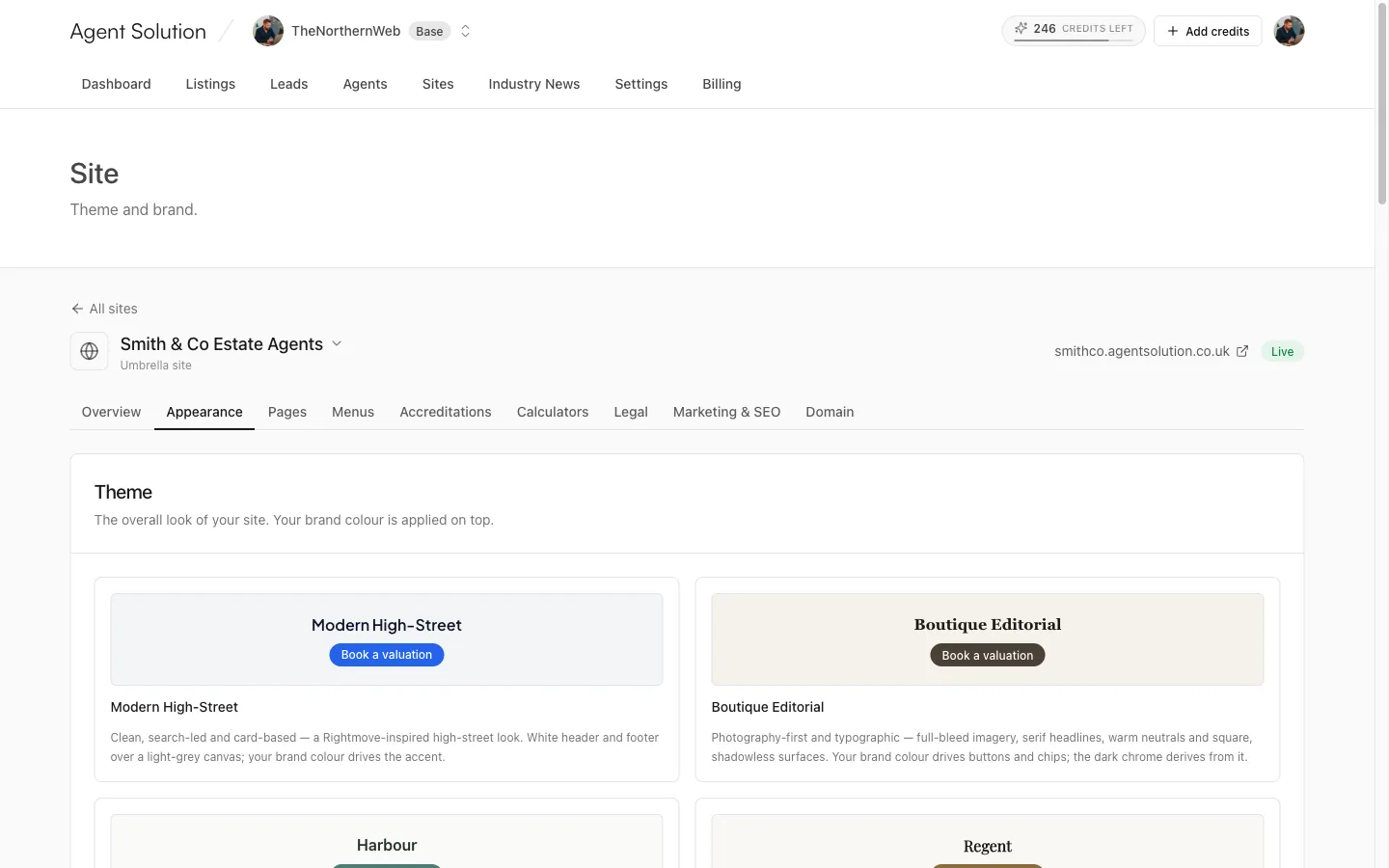
Your site’s look is a combination of a theme (the design) and your brand (colours, logo and details). Both live in the site’s Appearance tab, and both apply to your live site immediately; there’s no build step to wait for.
Choosing a theme
Section titled “Choosing a theme”The Theme card shows every theme as a preview card with its typography and an accent swatch. Click a card to switch; the change is instant and shows “Selected” when done. Browse the collection with full previews on the themes page.
Switching is safe. Your pages, listings and content carry over when you change theme, so try a different look whenever you like.
Your brand
Section titled “Your brand”The Brand card adapts to the theme you’ve picked:
- Brand name: defaults to the site name.
- Logo: shown in the site header. A transparent PNG or SVG works best. Choose from the shared media library or upload a new file.
- Favicon: the small icon in browser tabs; a square image is best.
- Colours: depends on the theme. Some themes run on a single brand colour and generate every shade and tint from it; others offer two or three (a brand colour plus one or two “band” colours for panels and banners). Each colour has a visual picker and a hex field. One theme also takes an optional Established year, shown as “Est. {year}” styling; leave it blank to hide those lines.
Colour scheme (light and dark)
Section titled “Colour scheme (light and dark)”Three options: Light, Dark, or Visitor’s choice. Dark generates a night version of your site from your brand colour; Visitor’s choice follows each visitor’s device setting and adds a light/dark toggle to your site header.
Contact details
Section titled “Contact details”- Contact phone and contact email: shown on the site.
- Enquiry notifications email: where this site’s enquiry notifications are sent. General contact-page enquiries go only to this address (never into your CRM); valuation, viewing and property enquiries are emailed and written to your CRM.
Business address
Section titled “Business address”Your public office address, used for search-engine listings (local SEO). Branch microsites use their own office address from your CRM automatically.
Social profiles
Section titled “Social profiles”Paste full URLs for Facebook, Instagram, LinkedIn, TikTok, YouTube and WhatsApp. They show in your footer and are linked from your search-engine listing.
Press Save at the bottom; you’ll see a green “Saved” tick when it lands.