How CRM sync works
Your CRM stays the single source of truth. Agent Solution reads from it and writes leads back into it, so you never maintain property data in two places.
What syncs in
Section titled “What syncs in”- Listings: details, photos, prices, and status changes (new instructions, price changes, under offer, sold, let, withdrawn) flow through automatically.
- Branches: imported and kept in sync, used to route leads to the right office.
- Team: your agents and staff import from the CRM and appear on the Team screen.
What flows back
Section titled “What flows back”Valuation requests, viewing requests and property enquiries captured on your websites are saved and emailed first, then written back into your CRM against the right property and branch, with automatic retries if the CRM is briefly unreachable. General contact-page messages go to your enquiry email only, never into the CRM. Full detail: How leads work.
Checking and managing the connection
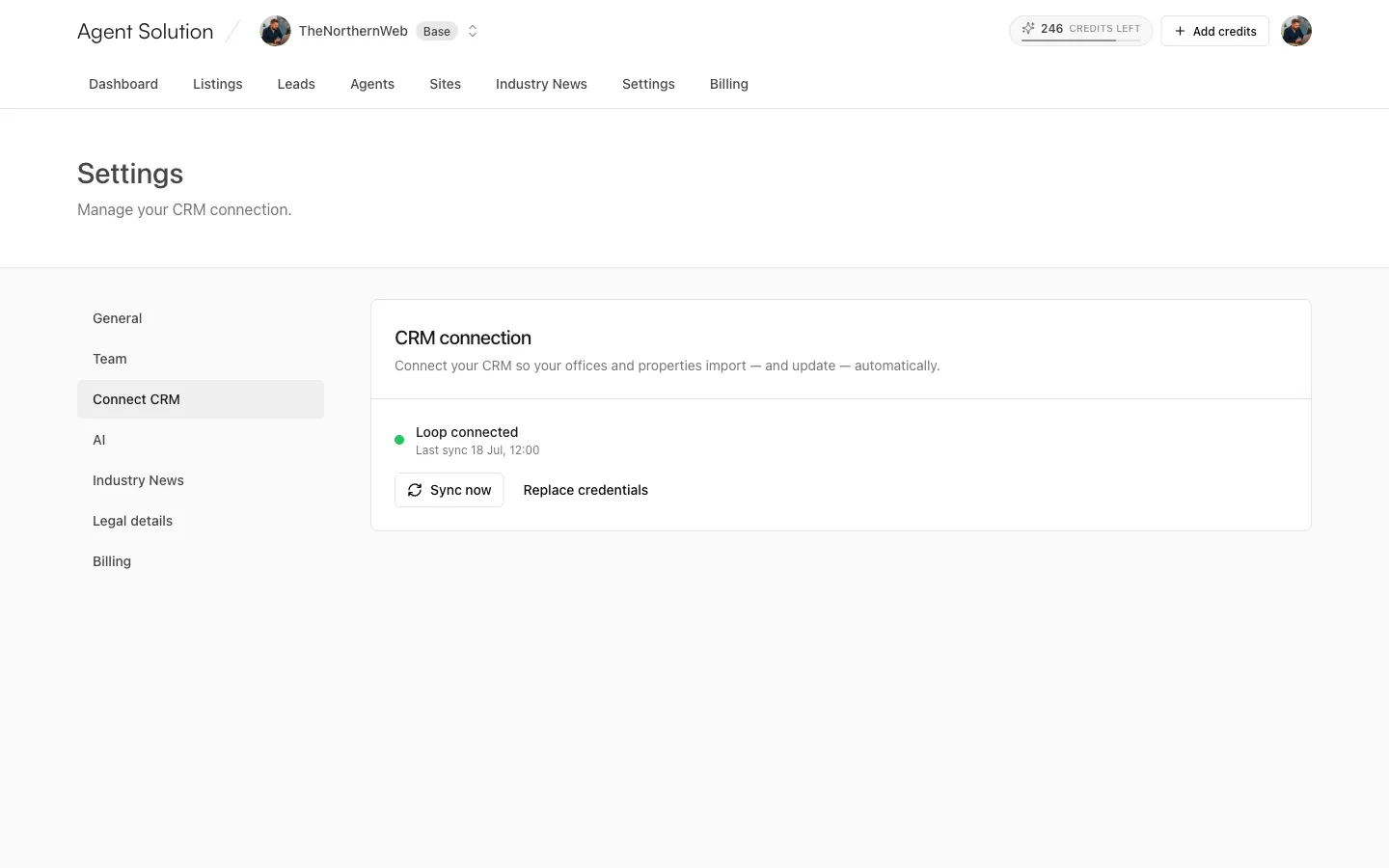
Section titled “Checking and managing the connection”The agency connection lives in Settings → Connect CRM (owners and admins). The card shows a status dot (green for connected), “{Provider} connected”, and when the last sync ran. While a sync runs you’ll see “Syncing now…”.
- Sync now: trigger a manual sync any time (also available on the dashboard banner).
- Replace credentials: paste a new key without disconnecting; the button reads Update & reconnect and the new key is tested before it’s saved.
Keys are always encrypted before storing.
Supported CRMs
Section titled “Supported CRMs”| CRM | Credentials needed |
|---|---|
| Apex27 | One API key |
| Street | Two tokens (Property Feed + Open API) |
| Loop | One API key |
Using something else? Tell us; the integration roadmap is driven by requests.
Agent-level CRM keys (bring your own)
Section titled “Agent-level CRM keys (bring your own)”Agencies with the independent-agent option enabled can let an agent microsite run on the agent’s own CRM account, with the same provider as the agency:
- The agent’s listings show on their microsite and in the agency’s shared pool; their enquiries stay private to them unless they turn on Share my leads with the agency (off by default).
- Owners and admins see an Agent CRM keys card in Settings → Connect CRM listing every agent site’s connection status (Connected, Needs attention, Disconnected, or “Inherits agency” when there’s no key), with a Manage link to each site’s Your CRM tab.
- Disconnecting an agent key returns that site to the agency’s shared CRM; the key and its synced properties are removed and the agent can reconnect any time.
The full story of the multi-agent model, including what agents can customise and how lead privacy works, lives in the Agent microsites section.