Adding sites
The Sites tab lists every website as a card: its type (Umbrella site, Branch site or Agent site), a Live or Draft badge, and its domain. Click a card to open that site’s workspace.
Owners and admins can add more sites at any time.
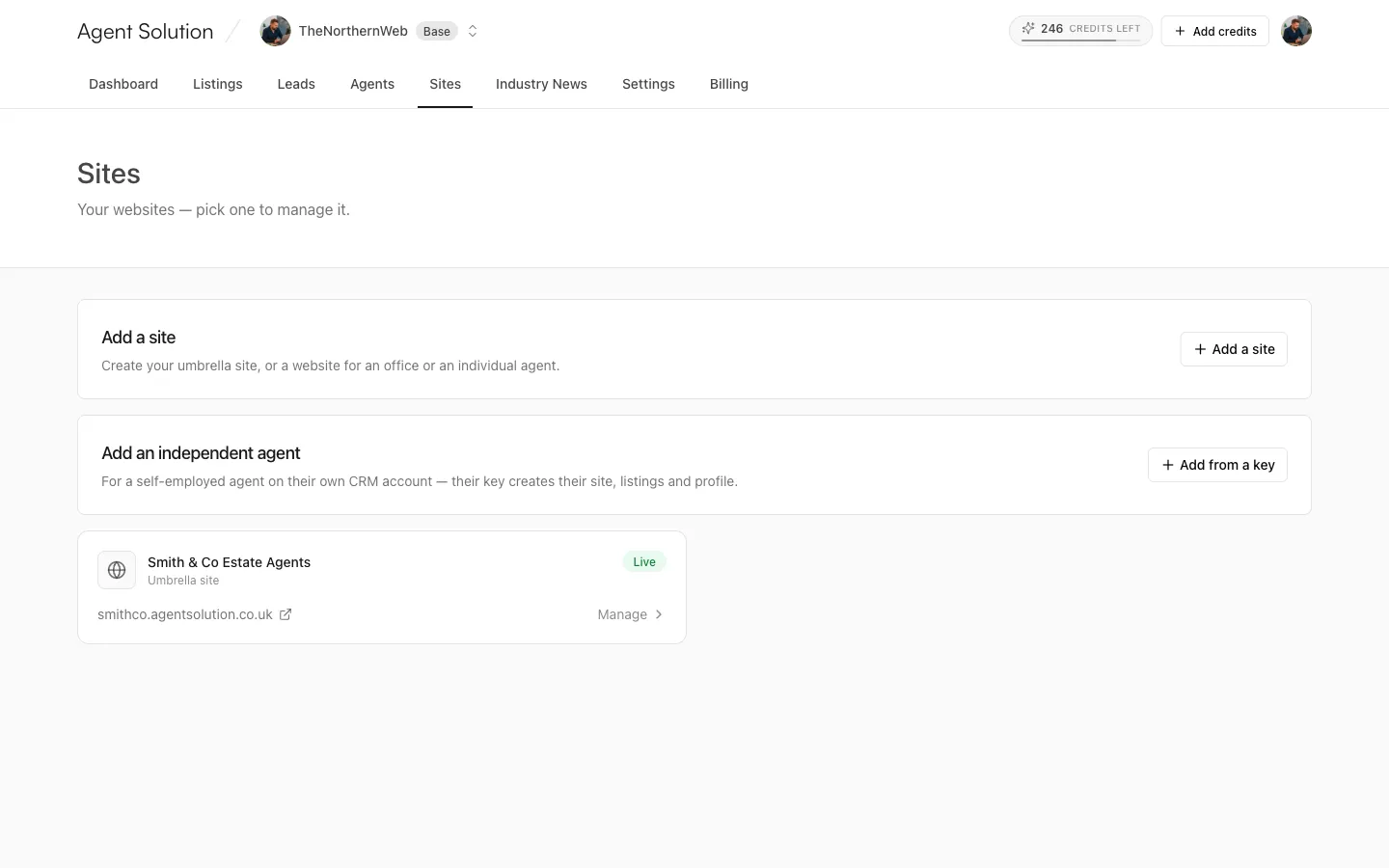
Add a site
Section titled “Add a site”The Add a site card creates:
- Your agency umbrella site (if you don’t have one yet): one site showing every office’s listings.
- Branch sites: tick any office; each gets its own subdomain (prefilled from the branch name, editable) and shows that office’s listings and details.
- Agent microsites: tick any agent from the list; a personal site showing that agent’s listings and profile, feeding from the agency CRM. The multi-agent model has its own full guide.
Every subdomain ends .agentsolution.co.uk and must be 3 to 32 lowercase letters,
numbers or hyphens. Press Create sites.
New sites start as drafts (visitors see a “coming soon” page) so you can review before publishing from the site’s Overview tab.
Add an independent agent
Section titled “Add an independent agent”Agencies with the bring-your-own-CRM option enabled also get an Add an independent agent card, for a self-employed agent on their own CRM account:
- Enter the agent’s name and pick their site address.
- Paste the agent’s own CRM key (same provider as the agency; Street needs both tokens).
- Decide the lead-sharing toggle: Share leads with the agency is off by default, meaning the agent’s listings appear on the agency site but their enquiries stay with the agent unless this is turned on.
- Press Validate & create site. The key is checked, the site is created as a draft, and the agent’s listings import immediately.
The agent’s connection is then managed from that site’s Your CRM tab, and owners and admins can watch every agent key’s status from the Agent CRM keys card in Settings → Connect CRM. See How CRM sync works.
Microsite pricing
Section titled “Microsite pricing”Branch microsites are a per-site add-on (see Billing and the pricing page for current rates).