Accreditations
The site’s Accreditations tab controls the industry logos shown in your footer (ombudsman and redress schemes, deposit protection, trade bodies and so on).
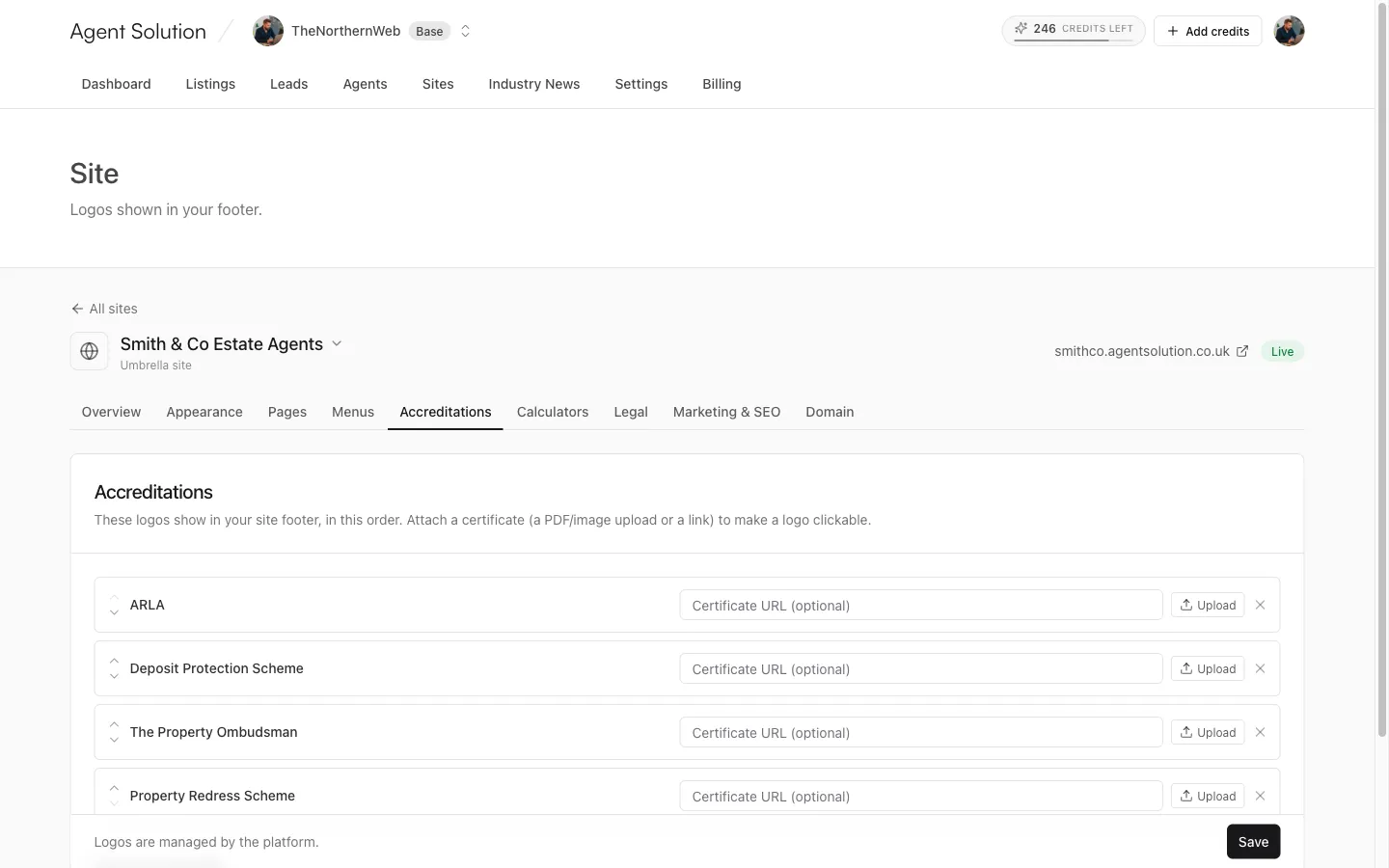
- Add a logo from the catalogue: available logos appear as buttons; click to add. The logo artwork itself is managed by the platform, so everything stays sharp and consistent.
- Reorder with the up and down arrows; the footer shows logos in this order.
- Attach a certificate (optional) to make a logo clickable: either paste a certificate URL or upload a PDF or image. You can replace or remove it later.
- Remove a logo with the X.
Press Save; changes go straight to your live footer.